
AI Content Generator: How It Works and Where It Fails
An AI content generator drafts text in seconds, but businesses still need checks for accuracy, trust and EU rules. Learn how to use one well.
You've got a catalogue to fill, a dozen customer questions you answer every week, and a blank page where a service description should be. Someone suggests an AI content generator, you type a short request, and a fluent paragraph appears in seconds. It looks finished. That's where the trouble often starts, because fluent isn't the same as correct, and a page that sounds like every competitor won't earn trust or enquiries. Treat the tool as a fast drafting step in a production line you control, and it can save real time. Treat it as an author, and you'll publish errors at speed.
What an AI Content Generator Can and Cannot Produce
An AI content generator is software that turns a brief and some facts into draft text, such as product descriptions, blog posts, FAQs and replies to reviews. Think of it as a fast junior writer who's read widely but has never seen your price list, your opening hours or your premises. It'll write confidently about all three unless you stop it.
You're not unusual for testing this late. INSEE reported that 10% of French companies used at least one AI technology in 2024, and 44% of AI-using companies used systems for written-language analysis. Language work is where most small businesses start, so it's worth being clear about which jobs suit the tool. If you're new to the wider picture, this overview of how AI helps create content sets out the main uses before you commit to a workflow.
What each content type needs from you
| Content type | Typical AI use | Human review before publishing |
|---|---|---|
| Product descriptions | Features, benefits and variant wording | Check specifications, price and availability |
| Blog posts and guides | Outline, first draft and summaries | Verify every factual claim and add first-hand examples |
| FAQ entries | Answers to questions customers ask repeatedly | Check policies, delivery times and prices |
| Customer review replies | Thank-you and response drafts | Approve tone; never write or invent reviews |
| Local business pages | Service descriptions and area text | Confirm address, opening hours and licences |
| Legal or health claims | Structure and plain-language outline only | Qualified expert approval required |
The rule behind the table is simple. The more a page states a fact that can change, the more review it needs. A price, a delivery promise, a licence number or a health claim can cost you money or credibility if it's wrong. A summary of a stable topic carries less risk, though it still needs your examples to be worth reading.
Practical rule: the generator supplies sentences. Your verified facts supply the truth.
A generator can't produce first-hand experience, local knowledge it wasn't given, or a judgement about what your customers care about. It can't know that your workshop closes early on Fridays or that a product is out of stock. What it does well is turn material you already trust into readable drafts, variants and structures quickly. That's a useful job. Just don't promote it to source of truth.
How an AI Content Generator Turns a Brief Into a Draft
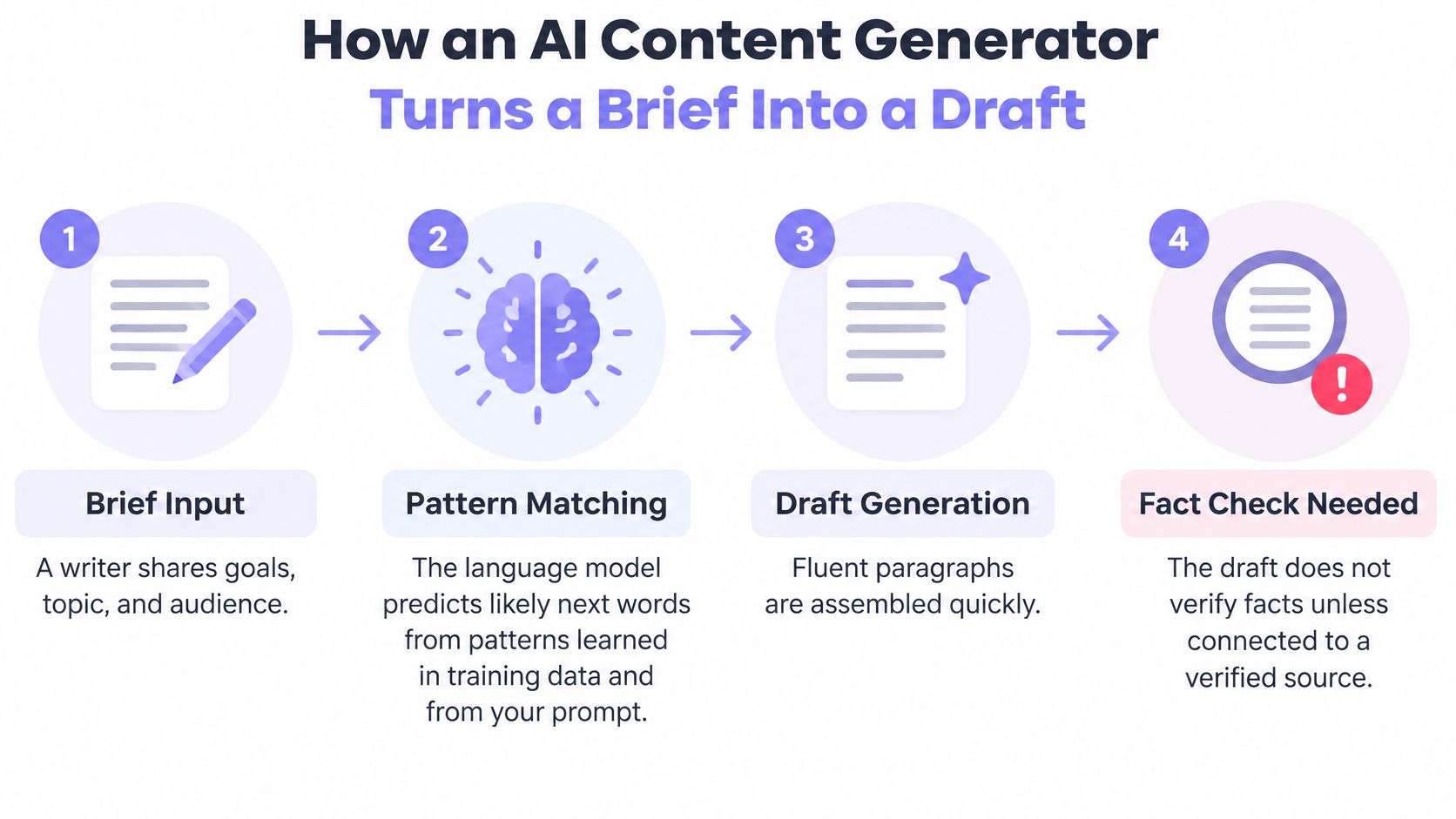
A language model works by predicting likely next words from patterns it learned during training and from the prompt you give it. It's closer to an autocomplete that's read millions of pages and can produce whole paragraphs than to a researcher checking sources. Unless it's connected to a verified source of yours, it isn't looking anything up. It's choosing words that sound plausible.
That single fact explains both the speed and the risk. Fluency comes free. Accuracy doesn't.
A six-step workflow that keeps you in control
- Write the brief. State the topic, audience, format and length. A vague brief invites the model to guess who it's writing for.
- Add context. Paste verified facts or pull them from your own product sheet. Missing facts don't stay missing, they get invented.
- Generate the draft. Let the tool produce structure and wording. Don't edit while it writes, you'll do that with a cooler head.
- Run checks. Compare every price, date, name, figure and claim against your source. This is the step people skip when they're busy.
- Edit and approve. A named person reads for tone, cuts filler and signs off. Skipping approval publishes small errors across many pages at once.
- Publish and log. Record the prompt, the sources used and who approved it. You'll want that trail when a customer queries a page months later.
One more thing surprises new users. Run the same brief twice and you'll usually get two different drafts, because the model samples from likely options rather than following a fixed script. That's handy when you want alternatives to compare. It also means a draft that was fine yesterday proves nothing about today's output, so every output gets checked, not just the first one from a new prompt.
Writing Prompts That Produce Usable Drafts
Most disappointing drafts come from thin prompts, not weak tools. A usable prompt carries five elements: the purpose and role, the audience, a block of verified facts, the format and length, and the claims the draft must not make. Leave one out and the model fills the gap with a guess.
Compare these two requests for the same product.
Vague: "Write about our bottles."
You'll get cheerful praise about staying hydrated on the move. It could describe any bottle from any shop, and it may add a capacity or a guarantee you don't offer.
Specific: "You are writing product copy for a small French outdoor retailer. Audience: hikers aged 25 to 45. Use only these facts: 500 ml stainless steel bottle, screw cap, fits a standard bike cage, hand wash recommended. Write 120 words in two short paragraphs. Don't mention price, warranty length or insulation performance. End with a question inviting the reader to check the size guide."
That second prompt gives the model boundaries. It knows who it's addressing, what it's allowed to say, how long to write and what to leave alone. Your checking job shrinks because whole categories of invention are ruled out in advance.
Habits that improve every draft
- Ask for three variants: comparing options shows you which phrases the model repeats by habit, and those are usually the ones to cut.
- Name banned words: list terms such as "best-in-class" and "unbeatable" so unsupported praise never reaches your draft.
- Ask which facts it used: a short list at the end lets you confirm nothing extra crept in.
- Keep a prompt library: store your best prompts in one shared file, with the fact block kept separate so prices and policies can be updated once.
- Write French prompts in French: specify the register, formal vous or friendly tu, so the tone matches how you speak to customers in the shop.
Don't expect one perfect prompt to serve every page. Build a small library for product copy, FAQs and review replies, then improve each one when a draft disappoints you. Write down what went wrong in plain words, adjust the prompt, and the next batch improves without extra cost.
Where AI Content Generators Go Wrong for Business
The costliest failure is invented facts. Ask for a page about a service and the model may add a price, an opening hour, a certification or a delivery time that sounds reasonable and isn't yours. It isn't lying in any human sense. It's filling a gap with the most likely sounding detail, and it won't flag the guess for you.
Say a plumber generates location pages for ten towns. If the tool invents a call-out fee on each one, the business now has ten published promises it never made. Fixing that costs far more time than checking one page would have.
Quieter failures worth testing for
- Generic copy: text that could describe any competitor weakens your visibility and gives readers no reason to choose you. Test it by swapping in a rival's name. If nothing breaks, rewrite.
- Repeated sentences: the same lines across dozens of pages read as duplicate, lazy content. Open two generated pages side by side and look for identical phrasing.
- Out-of-date detail: training data has a cutoff, so regulations, dates and product versions can be stale. Check every date against today before publishing.
- Unsupported superlatives: claims such as "the best" create promises you can't prove. Search the draft for "best", "first" and "only", then delete or evidence each one.
- Wrong register: English idioms carried into French copy sound translated and slightly off. Reading the draft aloud in the target language catches this faster than scanning.
If you want a broader view of guardrails before you scale up, AI content guidance for small businesses covers common production pitfalls. Closer to the editing desk, our practical guide to humanising generated text works through fixes for flat, repetitive drafts.
No prompt repairs the underlying limit. The tool doesn't know your business unless you give it verified information. A tidy, current fact sheet raises the ceiling on every draft you produce. A messy one caps quality no matter how cleverly you phrase the request, so fix the source material first.
Keeping Customer Trust When Content Is AI-Assisted
Trust is where this gets delicate for a local business. A French government summary on the relationship the French have with artificial intelligence reported that 56% of people reported no confidence in artificial intelligence, and the same survey paints a picture of broad doubt about whether online content can be trusted. Publishing more text isn't automatically helpful in that climate.
The image below captures the hesitation many owners feel at this point.

Start by separating two kinds of help, because readers judge them differently. Assisted editing means correcting spelling or rewording a draft a person wrote. It works like a spellchecker with better range: the author stays the author. Substantially generated text means the tool produced most of the wording and structure. The second kind deserves disclosure wherever readers would reasonably expect a named person to have written it, such as expert advice, personal stories or anything presented as a customer's own words.
Three proportionate disclosure levels
- No note: assisted editing of human writing, where a person remains the clear author.
- Short note: generated product or FAQ copy that's been checked by staff, for example "Drafted with AI assistance and reviewed by our team."
- Clear byline: expert or advice content, naming the qualified person who reviewed and stands behind it.
Disclosure alone won't rebuild confidence. Add real proof that a person who knows the work is involved: a named author with genuine experience, photos from your own shop or site rather than stock images, local details such as your street, district or the towns you serve, dated updates when facts change, and customer quotes used with permission. Each of these signals something a generator can't fake, because it comes from your actual business.
The short video below explores how readers react when they suspect content was generated without anyone accountable for it.
Hold on to one framework. AI for production, human accountability for accuracy, tone and reputation. Customers rarely object to you working efficiently. They object to feeling misled.
EU Transparency and Copyright Checks for French Businesses
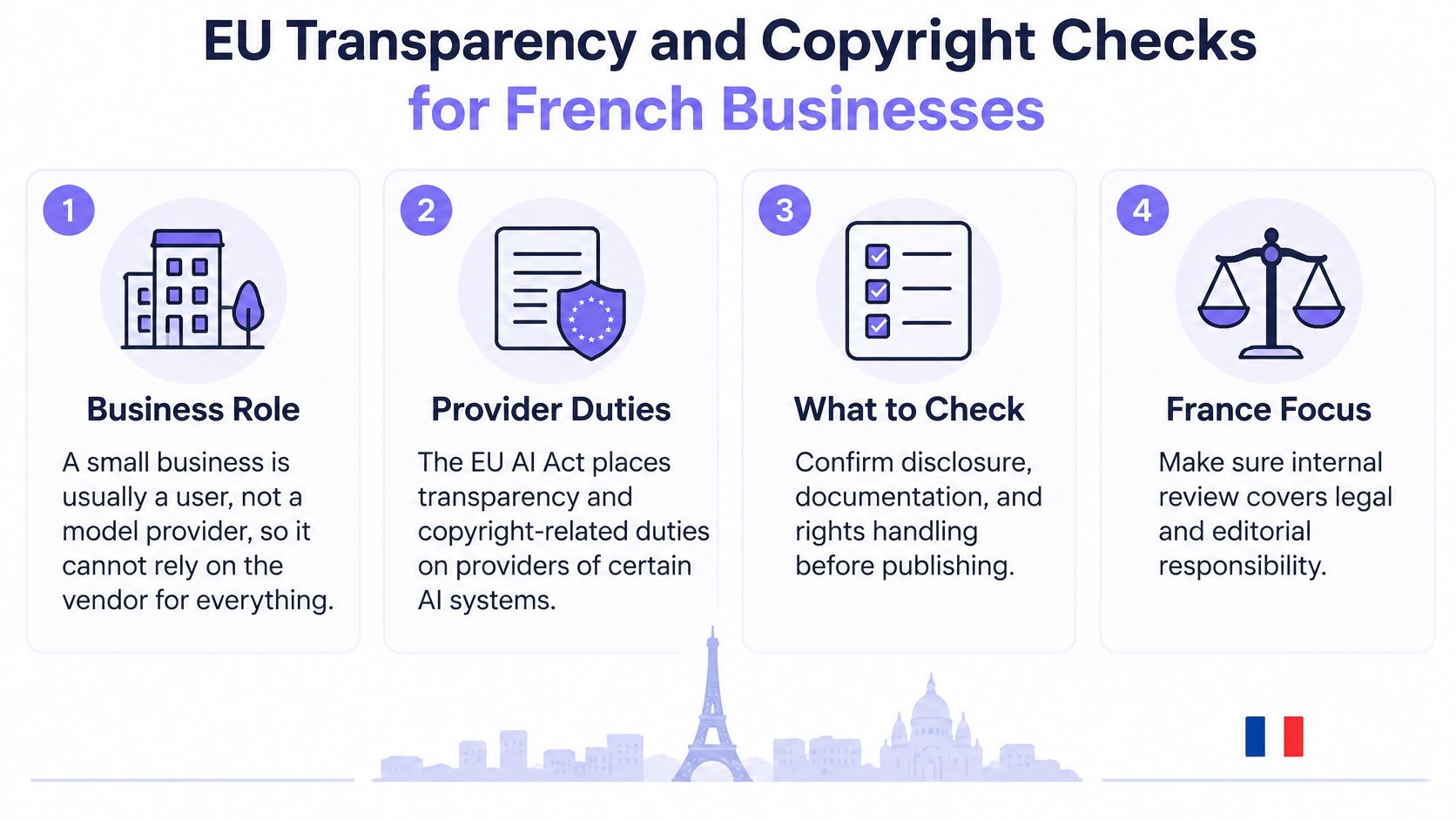
Compliance starts with knowing which role you hold. A small business is usually a user of an AI system, not the provider that built the model. That distinction matters because it decides who carries which duty, and it means you can't hand the whole problem to your software vendor.
According to DLA Piper's guide to artificial intelligence regulation in France, the EU AI Act requires providers of systems generating synthetic text, audio, images, or video to ensure outputs are marked in a machine-readable format and detectable as artificially generated or manipulated, subject to stated exceptions. Transparency and copyright obligations for large generative models are still being developed, including policies supporting EU copyright compliance and summaries of training data. Follow the direction of travel now rather than rebuilding your process later.
The checklist below summarises where your own checks sit alongside provider duties.
Three risks you can control today
Never paste customer personal data into a prompt. Names, addresses, order details and private messages don't belong in a tool you don't control, and you rarely need them to draft a page. Remove them and describe the situation in general terms instead.
Confirm the licence or origin of every image before it goes live, whether it came from a stock library, a supplier or an image generator. Keep the paperwork beside the page it belongs to. When you're assessing training or evaluation material for your own tools, it's worth knowing where to find licensed AI evaluation datasets rather than assembling files of unclear origin.
Attach a source to each factual claim in your working notes. You don't have to publish footnotes on a product page, but you should be able to show where a figure or a specification came from if a customer, a competitor or an authority asks.
Apply the disclosure levels from the trust discussion where the legal position is still unclear. Being open when you don't strictly have to be costs little and rarely harms you.
| Record | What it holds | Why it matters |
|---|---|---|
| Prompt log | Prompts used and the tool version | Shows how a text was produced |
| Source check record | Source for each factual claim | Proves accuracy when challenged |
| Approval record | Reviewer name and date | Establishes human accountability |
| Image licence file | Licence or origin of every visual | Reduces copyright risk |
| Correction log | Errors found, fixes and dates | Shows a working correction process |
Finally, agree a correction route before you need one. Decide who receives complaints, who checks them against your sources, and commit to fixing and logging a wrong page within 48 hours. A fast, visible correction protects you far better than arguing that the software wrote it.
Fitting AI-Generated Content Into a GEO Strategy
Generative engine optimisation, or GEO, means making your business information easy for AI assistants such as ChatGPT, Gemini, Perplexity and Google AI to read, trust and cite. Generated content helps when it's used to close real gaps: FAQ pages that answer the questions customers ask, a catalogue description for every product you sell, and the same core facts repeated consistently across your website and directory profiles.
Consistency beats volume here. If your website says you close at 18:00, a directory says 19:00 and an old blog post says you open on Sundays, an assistant picking between contradictions is less likely to cite you at all. One accurate page that agrees with everything else you've published does more work than twenty pages that don't.
Volume alone does not produce citations. Agreement between your sources does.
A workflow built around one source of truth
- Keep one set of verified business facts. Names, prices, hours, areas served and policies live in a single file that someone owns.
- Generate one page per recurring question. Pull questions from your inbox, your phone log and your reviews rather than inventing topics.
- Publish with a visible date and a named reviewer. Readers and assistants both treat dated, attributed pages as more reliable.
- Check for matches. Compare prices, hours and names across your site and profiles each time you add a page.
- Measure monthly. Look at the trend, not a single week's movement.
For a step-by-step method on structuring pages this way, see our GEO guide to optimising an article for AI engines.
| Metric | How to measure it | Healthy direction |
|---|---|---|
| Factual pass rate | Share of generated pages passing source checks | Rising, then stable |
| Brief-to-approval time | Days from brief to approved page | Falling while pass rate holds |
| AI visibility | Mentions of your business in AI answers for your key questions | Rising over months |
| Qualified enquiries | Enquiries from content pages | Stable or rising |
| Corrections per 10 pages | Errors reported or found after publishing | Falling |
Judge these over several months. AI visibility responds slowly, because assistants draw on information that's already published and indexed. If your pass rate climbs while approval time falls, your production line is improving even before citations move. If page count rises but corrections rise with it, you're scaling a problem. Slow down and fix the fact sheet.
Pilot One Content Type Before You Scale
Don't reorganise your whole website around a tool you haven't tested. Run a four-week pilot on one content type, and start with FAQ entries. Each answer is short, and each one can be checked directly against a fact sheet, so you'll learn quickly whether your process works.
- Write the fact sheet. List the ten questions customers ask most, with the correct answer to each in plain language.
- Generate ten answers. Use your best prompt structure and feed in only the facts on that sheet.
- Run your pre-publish checks. Work through the checking step in the workflow you set up earlier, with no shortcuts because the pages are short.
- Publish and log. Add a named reviewer and record every approval.
- Compare after four weeks. Set your factual pass rate, approval time and enquiries against a group of pages you didn't change.
Before writing anything new, check what AI assistants currently say about your business. One starting point is our free AI-ready directory that ChatGPT, Claude, Perplexity and Gemini read. The free plan includes a report across 10 questions from your field, and creating the profile takes about two minutes. Treat it as one option among several, and use it to see your gaps first. If you're planning wider automation later, our French guide to automating content marketing maps the next steps.
Before you generate another page, find out what ChatGPT, Claude, Perplexity and Gemini already say about your business, then publish content that gives them accurate facts to cite. Wispra offers a free AI-ready directory profile and a visibility report across 10 questions from your field, so you can start your pilot from evidence rather than guesswork.